How to Add a Dalamud Custom Plugin Repository Safely
Use the exact repository URL published by the plugin maintainer, check who controls that source, then add and enable it in Dalamud settings. A listing makes a plugin available to the in-game installer; it does not certify the publisher, plugin behavior, compatibility, or approval by Square Enix.
Quick answer
Start FFXIV through XIVLauncher and wait for Dalamud to load. In chat, enter /xlsettings, open the Experimental area, and locate Custom Plugin Repositories. Paste the exact manifest URL from the publisher's current documentation, use the add control, confirm that the source is enabled, and save. Then open /xlplugins, find the plugin by name, read its notes, and install it there.
If you cannot confirm who owns the URL or why the plugin needs a separate source, stop before adding it. Do not replace this in-game flow with a downloaded DLL or a URL copied from an unrelated comment.
Concept illustration only: checking who maintains a source does not certify its safety or compatibility.
Concept illustration
A custom source has its own maintainer
A repository is a publishing source that tells Dalamud which plugins and release information a publisher makes available. The source might be maintained by one plugin author or by a community project. It is separate from the default directory maintained by the Dalamud project, even when both sources appear in the same installer.
Treat the image as an editorial concept, not an official XIVLauncher screen. The practical check is the publisher identity and the exact URL shown in that publisher's current instructions. A familiar name, a polished page, or a plugin appearing in a list is not a security review.
Custom repository, default directory, or test build?
Use the route that matches the author's instructions. Most players should first search the default plugin directory in /xlplugins. A custom repository is relevant when a specific maintainer documents an additional source. Experimental or testing builds are another path and are not the same thing as adding a repository. A local development build is intended for plugin development, not routine installation.
Choose the source before changing settings
Source
What it means
First check
Default plugin directory
The normal in-game listing maintained through the Dalamud project workflow.
Search /xlplugins and read the plugin's current notes.
Custom repository
An additional source maintained by a plugin author or community project.
Confirm the owner and exact manifest URL in current publisher documentation.
Experimental build
A test version or test channel for a plugin that may be incomplete or unstable.
Enable only the documented test option for a specific reason.
Downloaded plugin file
A file obtained outside the normal installer path.
Do not use an unknown DLL mirror as a shortcut for repository setup.
Check the publisher before adding its URL
A custom plugin repository URL is an input supplied by another party. Make the source check before opening settings, while you still have the publisher's documentation in front of you.
Use this short review to catch mismatches; it reduces avoidable mistakes but cannot prove that software is harmless.
Find the URL on the plugin author's current documentation or the repository owner's own release page, not in an unattributed repost.
Compare the publisher name, project name, and repository owner across the instructions and source page. Stop if the names or domains do not line up.
Copy the complete URL exactly. Do not repair a broken link by guessing a filename, changing a domain, or removing a path segment.
Read what the plugin does, what data or local features it touches, its dependencies, and any compatibility note supplied by its maintainer.
Check whether the project is still maintained and where it reports issues. A repository can become stale even if the URL continues to load.
Keep a note of the source and plugin you add so you can identify the change if the list later becomes confusing.
Add and install a plugin from a custom repository
1. Confirm Dalamud is running. Launch FFXIV through the XIVLauncher setup you normally use. Enter the game and wait for the Dalamud interface to finish loading before trying /xlsettings. If the command is unavailable, troubleshoot the launcher or Dalamud startup first.
2. Open the documented settings area. Type /xlsettings in chat and select Experimental. Find the Custom Plugin Repositories field. Labels can change between versions, so use the current interface and publisher instructions rather than relying on an old screenshot.
3. Add the publisher URL and enable it. Paste the exact URL you verified, use the add control beside the field, and check that the new source is enabled. If the dialog reports an invalid address or a warning you do not understand, do not work around it with a different mirror.
4. Save and find the intended plugin. Save and close the settings, then open /xlplugins. Search the exact plugin name from the author's documentation. Confirm the author, description, dependencies, and compatibility notes before choosing Install.
5. Make one change and observe it. Install only the plugin you intended to test, then follow any restart instruction from Dalamud or the plugin maintainer. Note what changed. If another problem appears, you will know which source and plugin were involved.
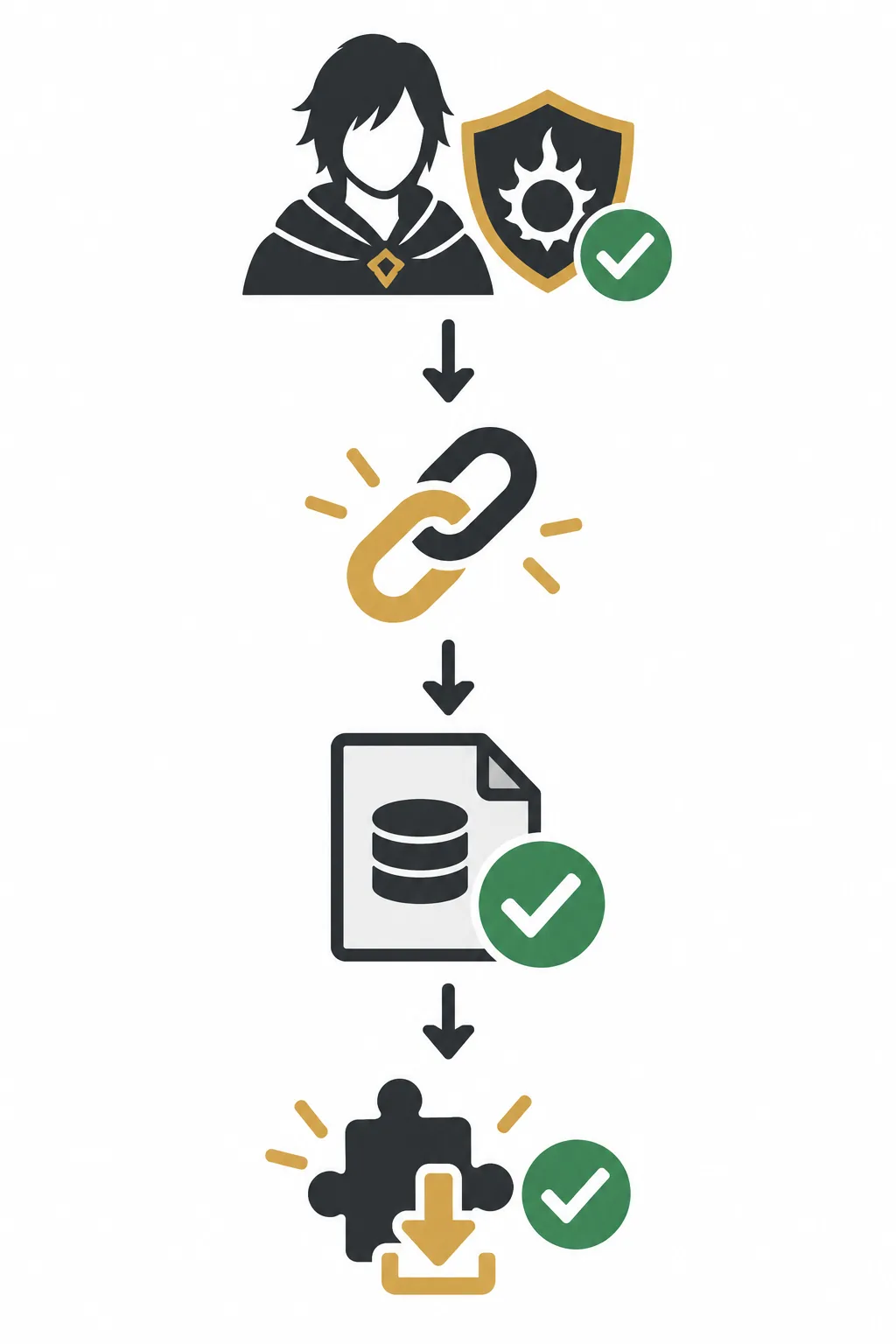
Concept workflow: the symbols explain the order, not an official interface or a safety certification.
Setup sequence
Keep the workflow small and reversible
The useful sequence is publisher check, exact URL, enabled source, plugin review, and one installation. Each step answers a different question: who published the source, whether the address is the intended one, whether Dalamud can read it, and whether the plugin matches your need.
If the plugin is not listed after saving, do not add several guessed URLs. Confirm the source state and current instructions first, then check the troubleshooting cases below.
Disable a source and uninstall a plugin separately
If you no longer want a repository, reopen /xlsettings and return to the custom-source list. Use the current controls to disable or remove that source, then save. Removing the source changes where Dalamud looks for listings; it may not uninstall a plugin that was already installed from it.
Open /xlplugins and review the installed plugin separately. If you no longer want it, use the installer's uninstall or disable control for that plugin. Follow the maintainer's current notes if the plugin stores configuration or asks for a restart. Do not delete folders by guesswork, and do not remove unrelated plugin data as a first step.
If you are only testing whether the source caused a problem, disable one source or plugin at a time and record the result. A small reversible change gives you clearer evidence than removing every plugin or resetting the whole launcher.
If the repository or plugin does not appear
What you see
Check first
Next step
The URL is rejected
Compare it character by character with the publisher's current instructions.
Ask the maintainer for the current address; do not guess a replacement.
The source is listed but disabled
Review its enabled state in /xlsettings.
Enable only the source you verified, save, then reopen /xlplugins.
The source is enabled but empty
Check the source status, network access, and any current publisher notice.
Wait or contact the maintainer if its manifest or service is unavailable.
One plugin is missing
Search its exact name and compare with the author's current release notes.
Confirm that the plugin still uses this repository and supports your current setup.
The plugin will not load
Check compatibility, dependencies, and the first error reported by the plugin.
Disable that plugin and follow its maintained troubleshooting steps before reinstalling.
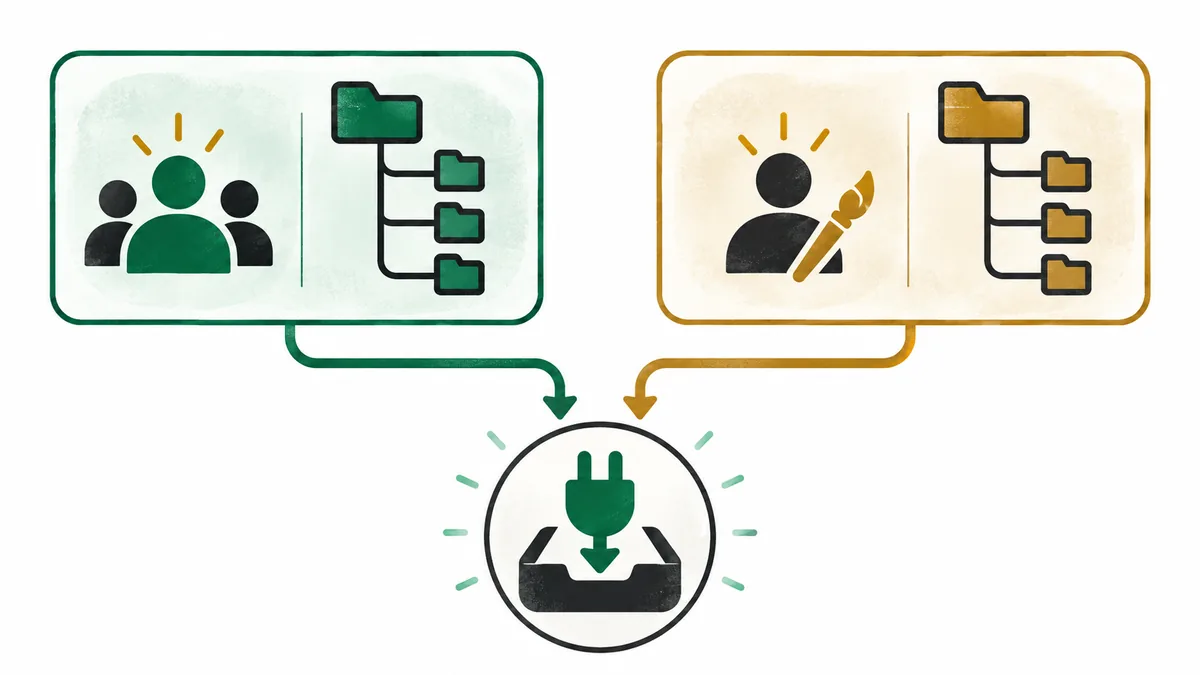
Concept illustration: two maintainers can publish into the same installer without sharing review or endorsement.
Source boundary
A shared installer does not mean a shared maintainer
The default directory and an independent repository can both feed entries into the in-game installer, but they do not necessarily share ownership, review, release practices, or support. Keep the publisher name attached to the source you are evaluating.
This illustration shows separate publishing branches converging on one installer. It is not a ranking, endorsement, or claim that either source has passed a security audit. The official Dalamud directory says plugins are installed through the game; do not manually download plugin files just because a repository exists.
Limits, privacy, and account considerations
Adding a source only makes its published entries discoverable. It does not prove that a plugin is safe, compatible with the current game, maintained, or approved by the game publisher. Review the project owner, source documentation, plugin behavior, permissions or data handling described by the author, and current compatibility notes before installing.
Use official project instructions for the supported installation flow and check current game and service rules for yourself. A repository page, open-source label, or successful install is not permission from Square Enix and is not a guarantee about account risk. Never share passwords, one-time codes, or unredacted logs to troubleshoot a third-party plugin.
What is a Dalamud custom plugin repository?
It is an additional plugin source maintained by an author or community project. Dalamud can read its published entries alongside the default directory, but the source has its own maintainer and review practices.
Where do I add a custom plugin repository URL?
Open /xlsettings in game, select the Experimental area, and use Custom Plugin Repositories. Paste the exact address from the publisher, add and enable it, save, then search for the plugin in /xlplugins.
Can I use any repository URL I find online?
No. Verify the project owner and current URL through the maintainer's own documentation. Do not paste unattributed links or guess a manifest address from a filename pattern.
Does appearing in /xlplugins mean a plugin is safe or official?
No. Availability means the installer can show the entry from that source. It is not a security audit, compatibility guarantee, or endorsement by Dalamud or Square Enix.
Does removing a repository uninstall its plugins?
Not necessarily. Remove or disable the source in /xlsettings, then review any already-installed plugin separately in /xlplugins and uninstall or disable it there if needed.
Why is my custom repository empty or unavailable?
The URL may be outdated, the publisher's manifest may be offline, the source may be disabled, or the plugin may have moved. Recheck the current publisher instructions and status before changing the address.